
Fields & horse walkers
Make room for every part of the day.
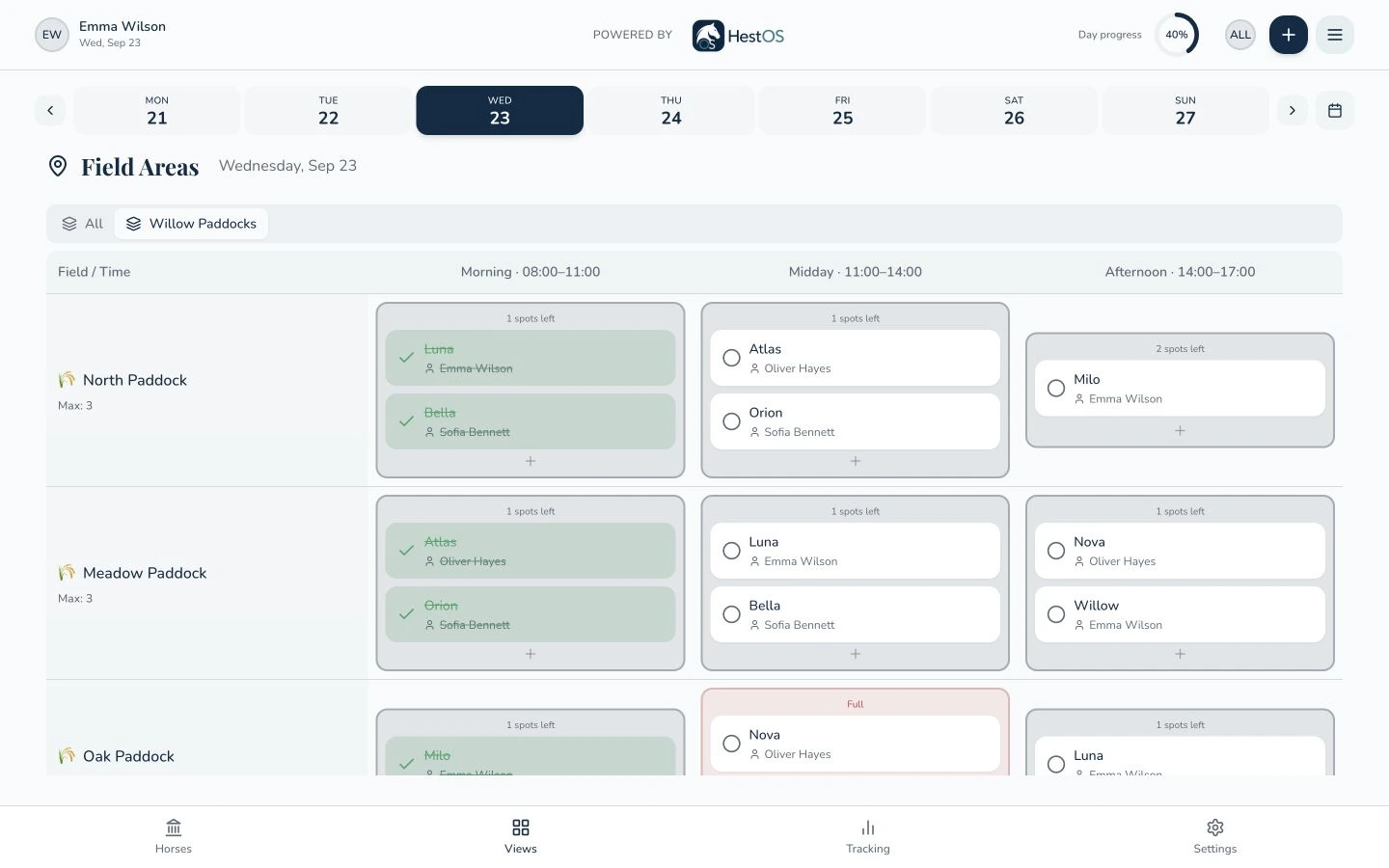
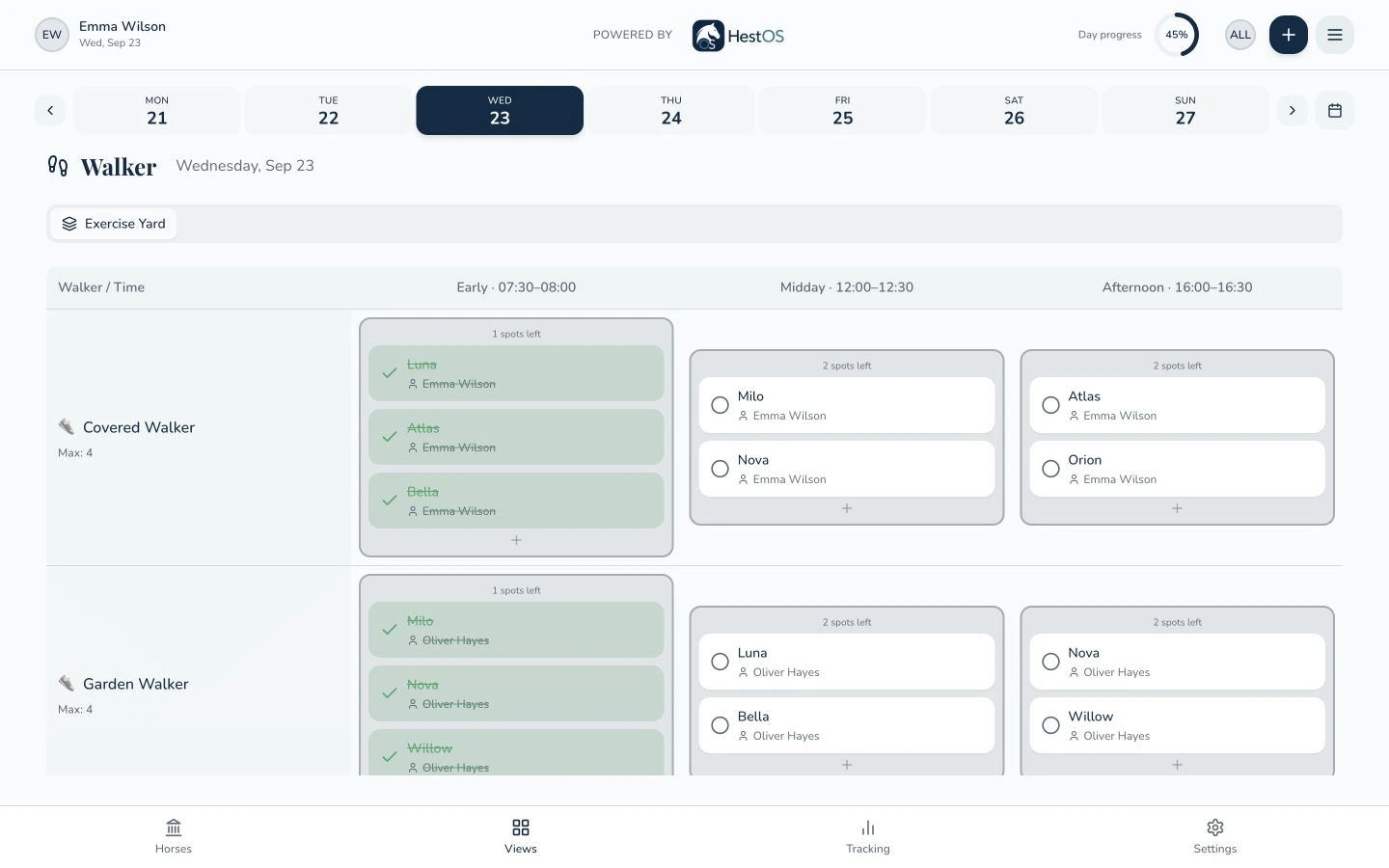
Turnout and walker sessions need a shared plan of their own. Set up your facilities, decide the time slots and see where each horse is scheduled alongside the spaces still available.
Request a demo- Field areas
- Walker sessions
- Visible capacity
How it works
Build the plan around the facilities you have.
Set up your spaces.
Create field and walker areas, add individual fields or walkers, and define their capacities and time slots in settings.
Allocate the horses.
Choose a date and a space in the grid to schedule a horse. Add a team member and notes so the allocation is useful to the people carrying it out.
See the plan take shape.
Review horses in each time slot and the displayed capacity. Open an allocation to change its details and mark tasks complete as work happens.
Turnout by area
Organize fields into named areas. Review individual areas or display the field areas together with their own headings.
Walker planning
Organize walkers into areas, with configurable time slots and capacity for each walker.
Capacity you can see
Each grid gives the team a visible reference for allocations and remaining spaces when making the day’s plan.
Tasks with context
Allocations remain horse tasks with an assignee, notes and a completion status, connected to everyday stable work.
Horse walker planning
A dedicated space for walker sessions.
A little more detail
Good questions.
Clear answers.
Can I use my own time slots?
Yes. Field areas and walker areas have configurable time slots, so the planning grids can reflect your stable’s routine.
Can I manage more than one field or walker?
Yes. You can create multiple areas and add individual fields or walkers with their own capacities.
Does the grid show which horse is allocated?
Yes. The planning grids show horse tasks in the relevant facility and time slot, along with capacity information. You can open a task to review or change its details.
Your horses. Your way of working.
Let’s make it concrete.
See how fields & horse walkers can fit into your stable’s day. Tell us what you would like to explore.